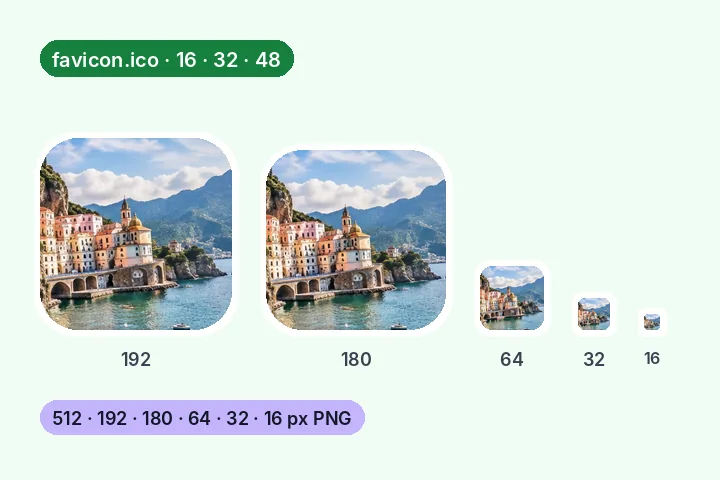
A worked example
A 300 × 200 PNG logo with a clear background, on Fit: every icon keeps the whole logo with clear space above and below. The ZIP held nine files, 41 KB in all — icon-512.png (20 KB) down to favicon-16.png (0.6 KB), a 3.5 KB favicon.ico that reads back as 16, 32 and 48 px, site.webmanifest and icons.html. The 180 px Apple touch icon came out on white; the other five kept their transparent corners. An SVG logo gives the same nine files, each size drawn from its vectors.
When another page here fits better
For one exact square — a profile picture or a form — use 300 × 300 or 1080 × 1080. For a logo that must stay see-through at some other size, resize PNG keeps the transparency.
What stays on your device
The picture is read, every size is drawn, the ICO and the ZIP are written in this tab. Nothing is uploaded, and the manifest holds only the name you type.
Small icons are about shape, not detail: a photograph or long text will not read at 16 px whatever the resampler does. A simple mark with some padding works best.
Questions people ask here
Which sizes does it make?
512 and 192 px for a web-app manifest, 180 px for the Apple touch icon, 64, 32 and 16 px for tabs and bookmarks, and a favicon.ico that holds 16, 32 and 48 px versions. Each PNG can be saved on its own, or everything comes as one ZIP with the manifest and the HTML.
Is the favicon.ico a real ICO file?
Yes — an ICO directory with three entries, each a PNG, which is the form current browsers and Windows read. The page reads the file back after writing it and lists the sizes it found inside.
Why is the Apple touch icon on white?
iPhones and iPads fill a see-through touch icon with black, which ruins most logos. The 180 px icon is put on white by default; switch it off if your logo already has its own background. Every other size keeps its transparency.
My logo is not square.
Fit keeps all of it and leaves clear space on two sides; Fill cuts a centred square. Padding adds an even margin, which helps a logo that touches its edges read at 16 px.
Why use an SVG?
A 16 px icon shrunk from a big picture loses its thin lines. An SVG is drawn from its vectors at each size instead, so every size is rendered for that size. It is loaded as an image, so no script inside it runs.