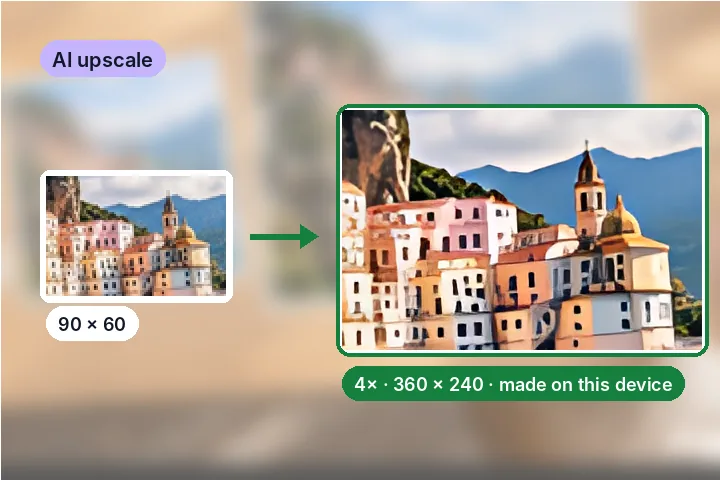
A worked example
A 200 × 150 JPG enlarged 4× came out 800 × 600 in 4 tiles; on a desktop test machine the whole run, including the first-time model download and start-up, took 7.6 seconds, and the JPG at quality 90 was 86 KB. Measured against the same model run on the whole picture at once, the tiled 2× result differs by half a grey level on average — the blended seams leave no mark. A plain bicubic enlargement of the same picture differs from the model's by 8 levels on average: that difference is the drawn-in detail.
When another page here fits better
If a form only needs a minimum pixel size, increase image size enlarges by arithmetic in an instant and measures how soft the result is. For a print, resize image for printing shows the DPI your own pixels reach first.
What stays on your device
The picture never leaves this tab. The only download is the model and its runtime, which carry nothing about you or your picture, and Clear downloaded models removes them.
Reconstructed detail is generated, not recovered. Faces, text and patterns can come out subtly wrong — fine for a web picture, not for evidence, an ID photo or anything that must show what was really there.
Questions people ask here
Is the detail real?
No — and the page says so on the result. The model draws edges and texture that are plausible for what the pixels show; it does not recover what the camera missed. That is why it is shown beside a classical enlargement, and why the file name ends in -ai2x or -ai4x.
Is my picture uploaded?
No. The model file (4.6 MB) comes from our model file server and the runtime from this site — once, then both stay in this browser. The picture is processed in this tab and never sent anywhere.
How long does it take?
It runs on your processor with WebAssembly, one tile at a time, so it depends on the device and the picture: a few seconds for a thumbnail, a minute or two for a picture near the 1 MP limit. The page prints an estimate after the first tile and can be stopped at any time.
Why is there a size limit?
A 1-megapixel picture at 4× is a 16-megapixel result, and the model's work grows with every pixel. Up to 1 MP (0.5 MP on iPhone and iPad) keeps the tab alive and the wait reasonable. For a big picture that just needs more pixels, increase image size is instant.
How is 2× made?
The model only works at 4×. For 2×, its 4× result is halved by this site's resampler — one exact box halving, so nothing is guessed twice.