A worked example
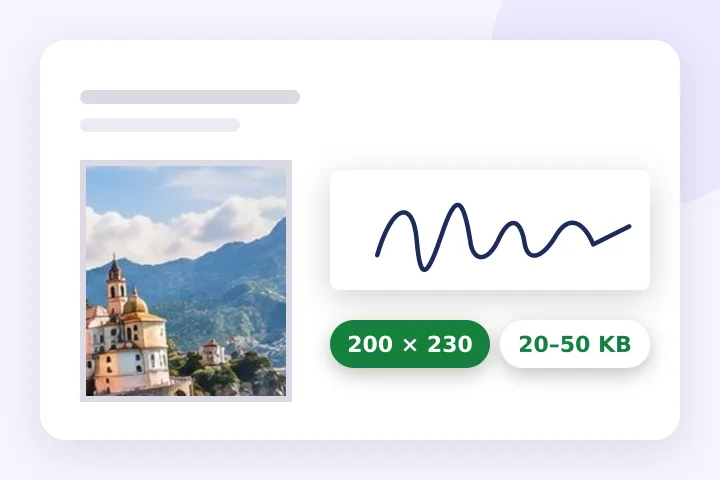
A 4032 × 3024 phone photo with the bank photo preset becomes 200 × 230 pixels with Fill — drag to keep the face centred — and the quality is searched until the JPG lands between 20 480 and 50 000 bytes. Pick the signature preset next and the same page gives 140 × 60 pixels on white between 10 and 20 KB.
| Item | Pixels | File size | Source |
|---|---|---|---|
| Photo (bank, IBPS format) | 200 × 230 | 20–50 KB | Official notice |
| Signature (bank, IBPS format) | 140 × 60 | 10–20 KB | Official notice |
| Left thumb impression (bank) | 240 × 240 | 20–50 KB | Official notice |
| Handwritten declaration (bank) | 800 × 400 | 50–100 KB | Official notice |
| UPSC photo | 350 × 350 | 20–300 KB | Commonly cited — confirm |
| UPSC signature | 350 × 150 | 20–100 KB | Commonly cited — confirm |
| SSC signature | about 6.0 × 2.0 cm | 10–20 KB | Commonly cited — confirm |
When another page here fits better
For a signature with more choice of strip sizes, use the signature page. For a passport-size print, use the passport page. For a KB limit with no pixel size, use resize image in KB.
What stays on your device
Your photo, signature and thumb impression are opened and written in this tab. Nothing is uploaded to this site; the only upload is the one you make to the form yourself.
These presets were checked on 18 October 2026 and requirements change between notices. Read the notice for your exam before you upload; the fields here are editable for exactly that reason.
Questions people ask here
Where do these numbers come from?
The bank presets are taken from an IBPS-format recruitment notice and link to it. The UPSC and SSC presets are only cited by third-party pages, so they are labelled commonly cited and ask you to confirm on the official portal. Notices change; your own notice always wins.
Why is there no SSC photo preset?
Secondary sources say the SSC application captures the photo live during the application rather than taking an upload, so a preset would point people at the wrong step.
The notice says 200 DPI. Is that written into the file?
Only if you ask. The pixel size and the file size are what an upload form can check, so those are set first; a note then offers Write 200 DPI into the file, which rewrites the JPG's header tag without touching a pixel. The bytes shown include the tag.
Can I check a file I already have?
Yes. Open it and pick the preset: the page says whether the file as opened already meets the pixels, the KB range and the format, before anything is changed.